

The beauty of WordPress is that it is a content management system (CMS), not just a site builder. That means you can use its flexible content storage to set up a blog, create custom post types (like projects or real estate listings), and much more. Divi’s Loop Builder is the easiest way to take that content and display it across your website in 100% customizable designs.
This makes Loop Builder Queries essential. Divi 5 introduced the Loop Builder, with lots of standard Query Options. These define exactly what content appears inside a looped container. This post walks through every query setting, explains what it does, and points out when you might need plugins like ACF.
Building Custom Loops
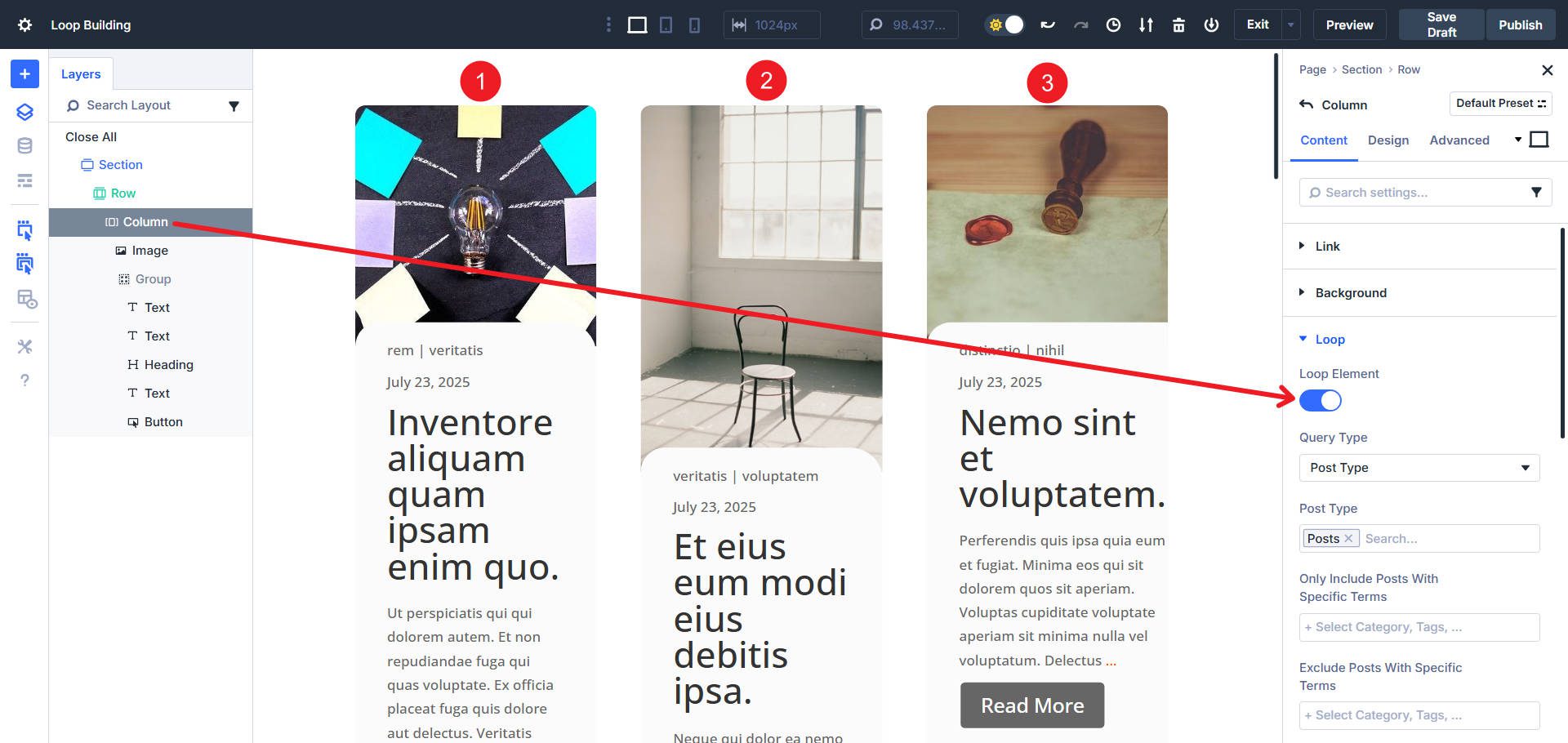
A loop starts with the Looped Element. Think of it as a container that repeats itself for every matching item. The items might be posts, terms, users, or repeater fields. Once you turn looping on, the query panel shows up. This is where the real control lives.
Query Type
The first step is always the same: choose a Query Type. Divi 5 currently supports:
- Post Type (like posts, projects, products, or any custom post type you’ve registered)
- Terms (categories, tags, or other taxonomies)
- Users (your WordPress site’s user accounts)
- Repeater Fields (from plugins like Advanced Custom Fields Pro)
Depending on your choice, the rest of the options change. Let’s go through each.
Post Type Queries
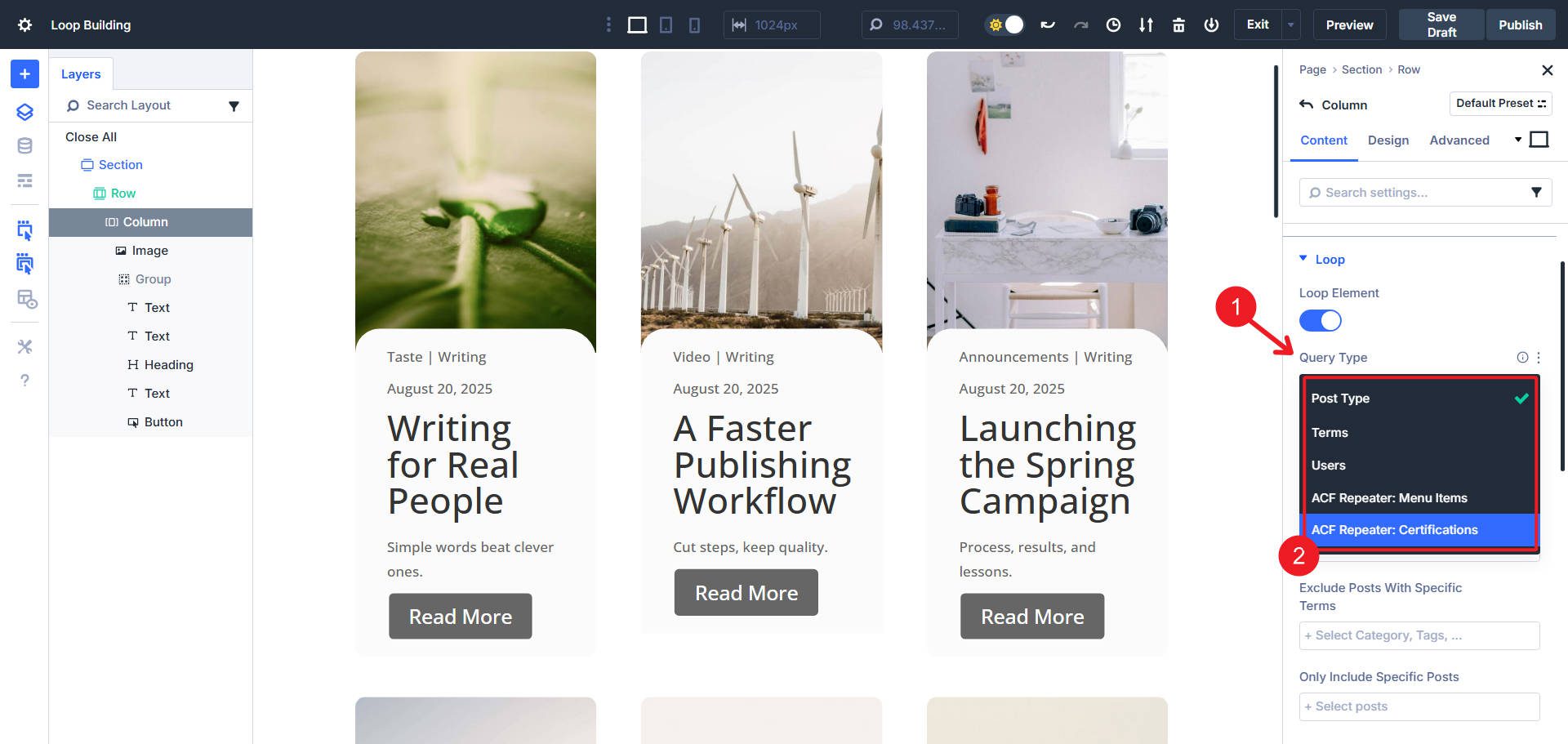
This will be the most common type of Loop. After choosing Post Type as the loop type, you will select a particular post type (or multiple types together), and Divi will loop through its entries. It could be the default blog posts, a WooCommerce product list, or something you built with a CPT plugin.
From there, you can fine-tune the query with these options:
Filter By Term
Include or exclude categories and tags. For example, show only blog posts in the category of “Announcements.”
Filter By Specific Post(s)
You can include or exclude specific posts inside your CPT by selecting which posts to show or not show. This is handy for creating a loop of posts that don’t match a predictable query (like category, seen above).
Meta Query
This one is gold if you use custom fields. You can include or exclude posts based on field values. For example, only show “properties” where “For Sale” equals true. Or in the case below, where the course duration is greater than 7 hours.
You will need to create these custom fields with a plugin like ACF or a plugin that creates these meta keys for you (anything that creates custom post types with custom fields will have meta keys for their unique data).
Order And Sorting
Choose alphabetical, publish date, modified date, or even random. Combine with ascending or descending to get the exact sequence you need.
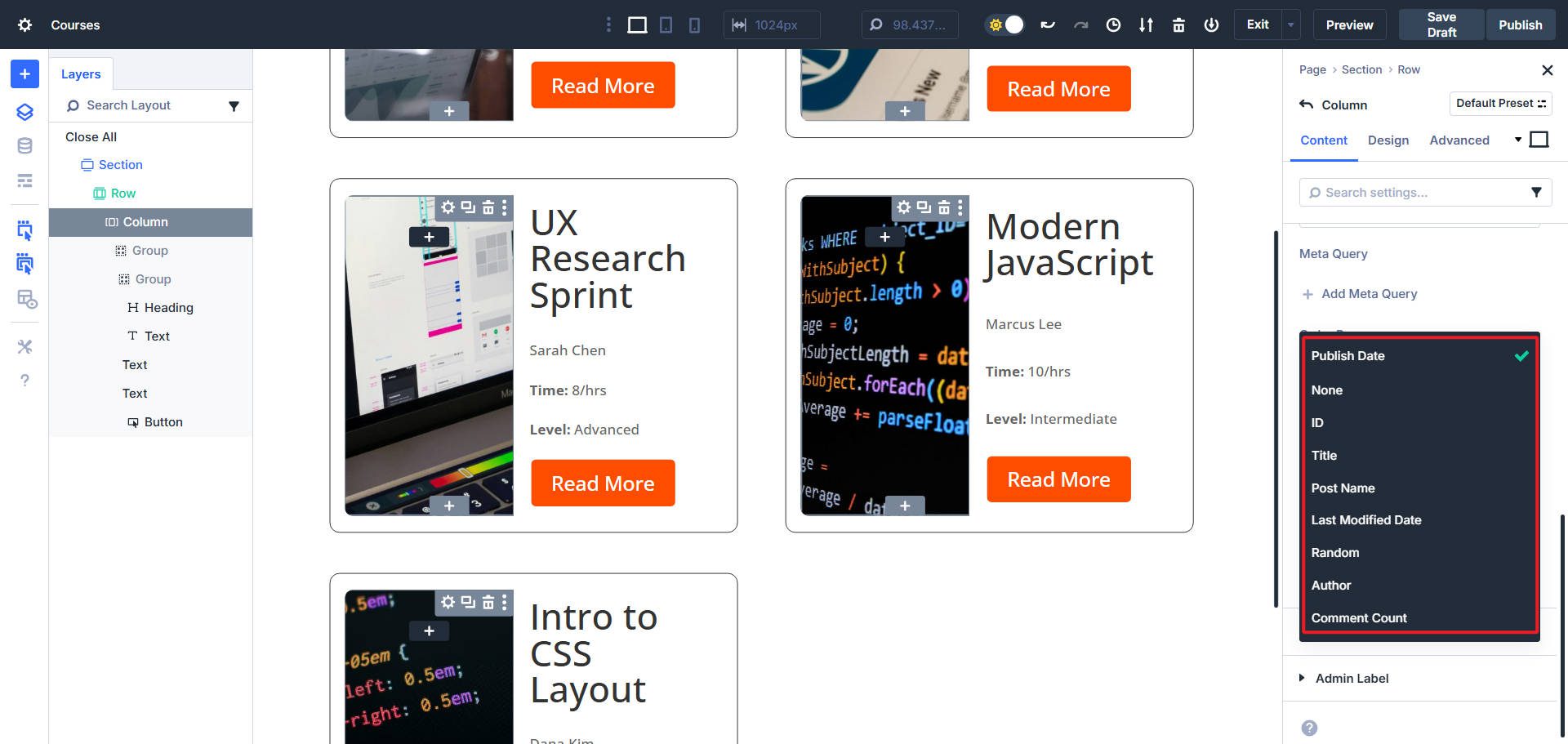
Item Count And Offset
Post items per page decides how many posts appear before pagination kicks in. Note that you have to add the Pagination Module to your page if you want it.
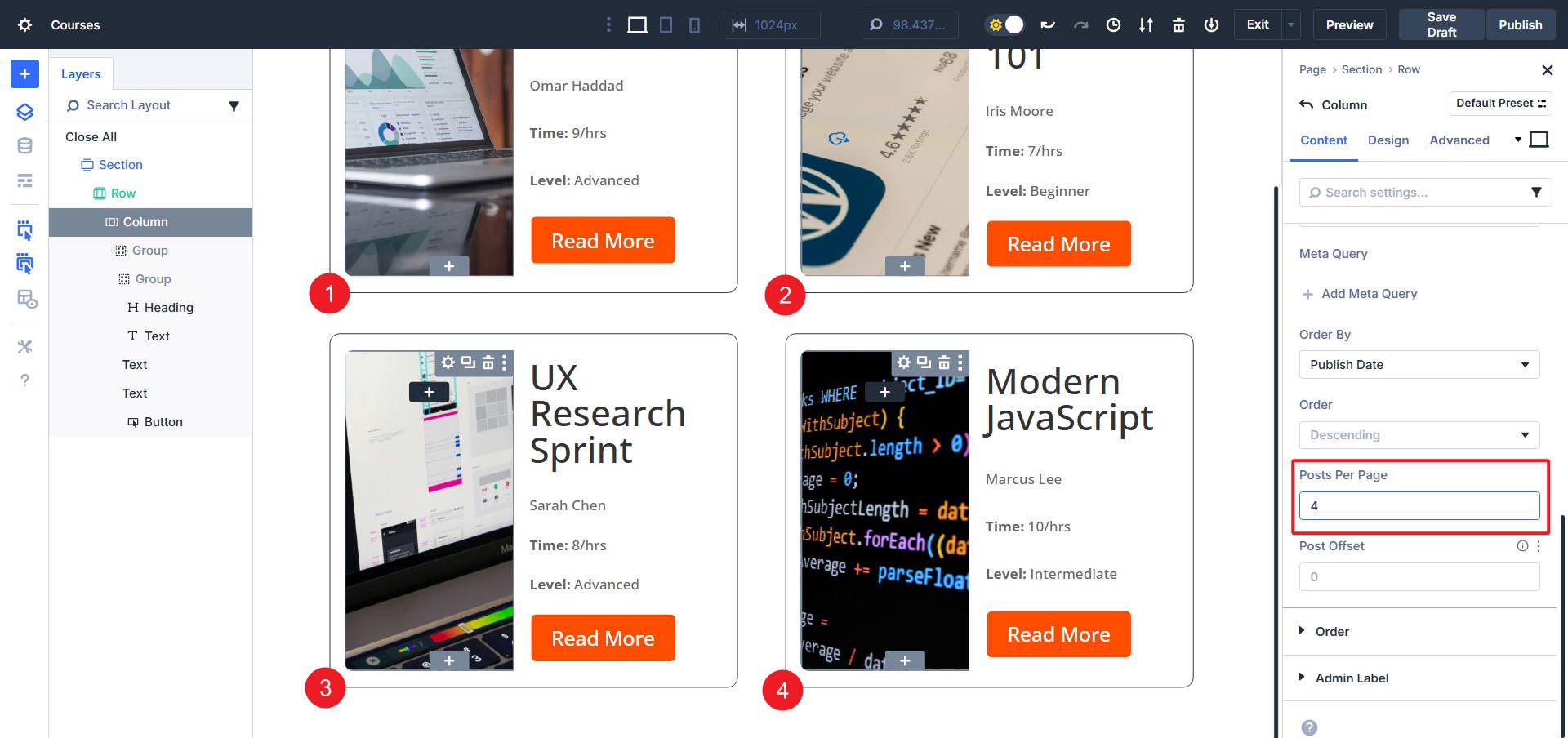
Offset skips a number of posts from the start. It is perfect for creating a single loop (for a featured post) and a secondary loop with all the rest. You can set the second loop to have an offset of one to skip the first post (which in this example occupies the first loop as the feature).
Ignore Sticky Posts
You can choose yes or no. If you even use the “Make this post sticky” option, you can exclude them from your loops.
That is it for the basic options for Query Filtering with Post Types. Many of the same principles apply to other query types, but there are some differences.
Term Queries
Sometimes you don’t want to loop through posts — you want the categories themselves. This is possible with Divi and only requires you to change the Query type.
You’ll see similar controls when using terms:
- Meta Query to filter terms by custom metadata (requires plugins like ACF).
- Order By + Order to sort by name, ID, slug, or custom values.
- Terms Per Page + Offset for pagination.
Practical uses: show a grid of blog categories, list all WooCommerce product categories, or highlight taxonomies from a CPT.
User Queries
User queries aren’t new to WordPress, but in Divi 5, they’re finally easy to create.
Choose “Users” and Divi will let you loop through site accounts. That could be authors, admins, or membership lists.
Options here:
- Meta Query for pulling users with specific roles or field values. Example: only show “Authors.”
- Order By + Order to sort by ID, login name, display name, or registration date.
- Users Per Page + Offset for pagination.
Repeater Queries
This one requires Advanced Custom Fields Pro (or a similar plugin). WordPress itself doesn’t have “repeater” fields by default. If you have them, Divi’s Loop Builder will query them seamlessly. Here, we used ACF to create an Option Page with a Repeater field for business hours.
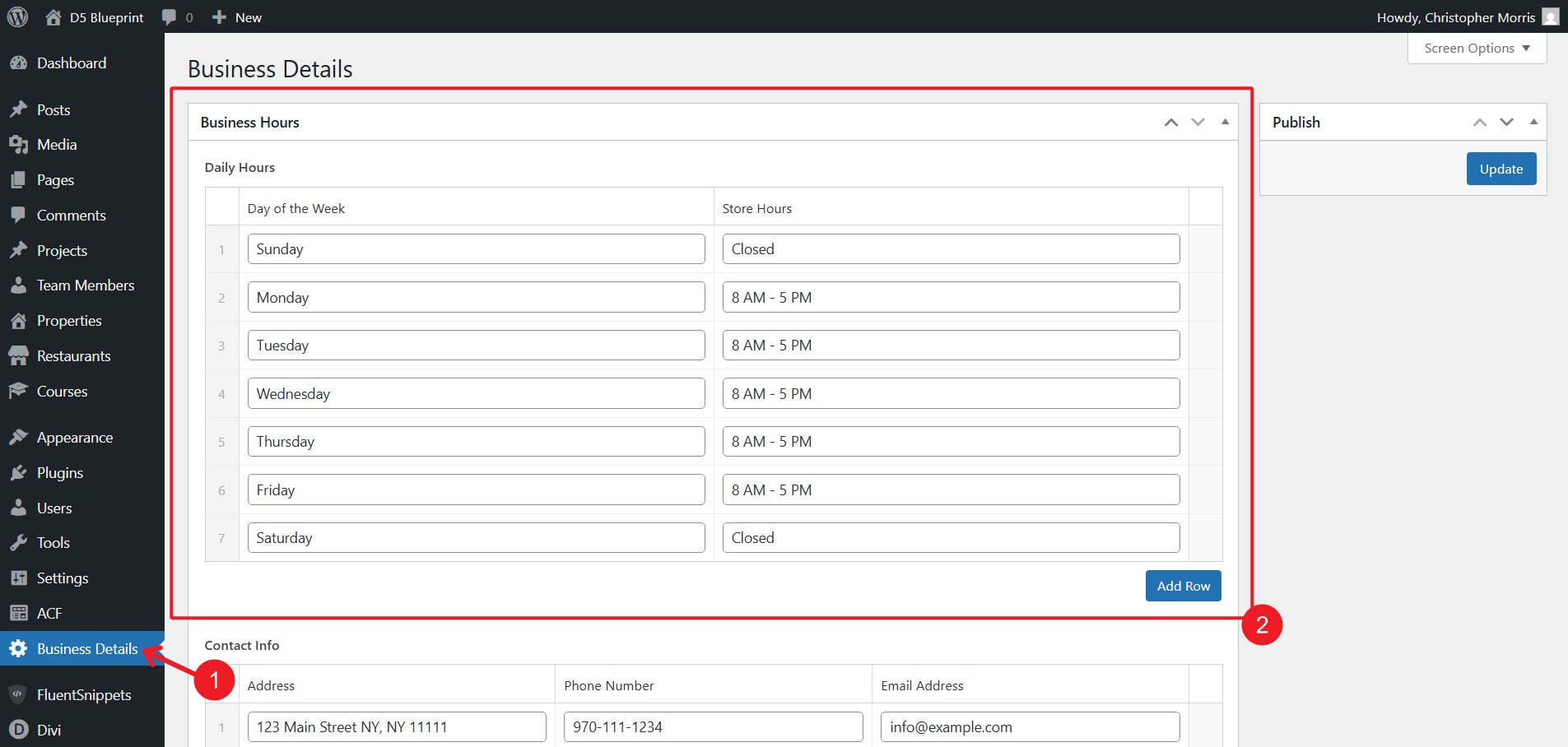
Then, we built our Loop and chose “Repeater” as the Query Type.
You’ll also have these options for modifying the query results:
- Order + Direction (ascending, descending, random).
- Repeaters Per Page + Offset.
Repeater fields are perfect for things like FAQs, pricing features, or other content blocks that don’t require a full post type.
Plugins You Might Need Or Want
Divi taps into various “feeds” of content that might exist on your site. Some are basic to WordPress, while others are brought to WordPress via a plugin.
- Custom Post Types don’t come with WordPress out of the box. You’ll need a plugin like CPT UI or write your own registration code. WooCommerce adds “Products” automatically.
- Repeater Fields require something like ACF Pro. Divi doesn’t create them for you, but you can fully tap into them to display this content type.
- Users and Terms are native to WordPress — you already have them, and Divi can display them easily.
That means most sites can use three of the four query types right away. For custom post types and repeater loops, budget an extra plugin (there are free and paid options available).
Use The Loop Builder In Divi 5 Today
The Loop Builder in Divi 5 gives you new ways of deciding what information to show. It also gives you more control over your site’s designs since any container or module can be looped, instead of only post-specific modules.
Divi’s extensive Query Options let you choose from post types, terms, users, or repeater fields. You can also define initial filters, exclusions, meta queries, and pagination to dial into the exact content and ordering that you want to display.
With all of these, you can also build grids, sliders, directories, or anything else your site needs. This was one of the most requested features in Divi’s history, and it’s finally here. If you’ve been frustrated by the limits of the old Blog module, this is your answer.




Maybe i’m wrong but, would be nice that on the Meta Query setup on loop rows, the meta value can have values that comes from a shortcode. This way we are not limited when we need to create complex queries. Have you thought about this? If not, you should, it would be very useful. Thank you.
That’s a very interesting suggestion, Jose! Being able to use shortcode-driven values in Meta Query fields would definitely open up more advanced and dynamic query setups. That being said, our developers may not necessarily go in that direction with future improvements to the Loop Builder, but Meta Query capabilities and possible input sources will certainly grow, allowing further complex setups.
Thank you for your input! 👍
Looks like one of the sentences here cuts off – it says:
Term Queries
Sometimes you don’t want to loop through posts — you want the categories themselves. This is possible with Divi and only requires you [sentence is not complete]
You’ll see similar controls: